
Introduction to Website Access Restriction Tool
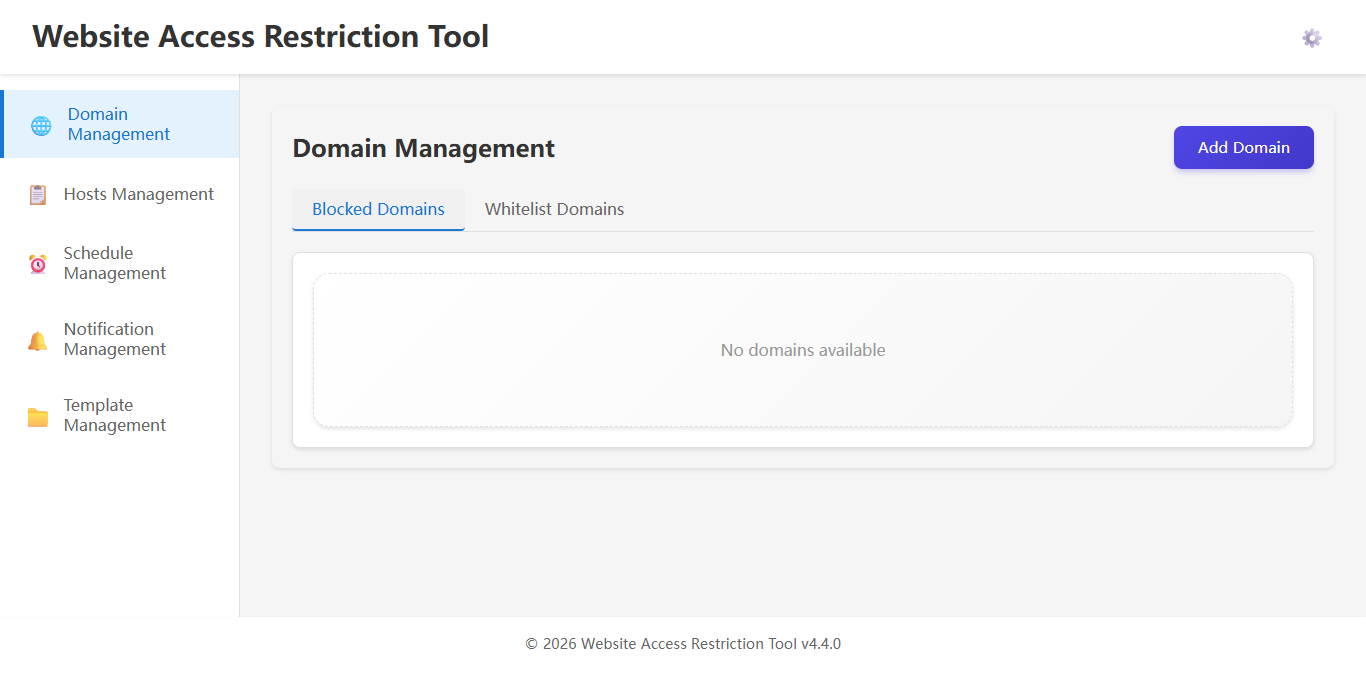
Overview
The Website Access Restriction Tool is a powerful software solution designed to help individuals and organizations control access to specific websites. Whether you're a parent looking to protect your children from inappropriate content, an employer wanting to increase productivity by blocking distracting sites, or an individual trying to reduce time spent on certain websites, our tool provides the flexibility and control you need.
This documentation will guide you through the installation, configuration, and effective use of the Website Access Restriction Tool, helping you make the most of its features to create a safer and more productive digital environment.
Key Features
Our Website Access Restriction Tool offers a comprehensive set of features to meet various needs:
- Flexible Blocking Rules - Create custom rules based on URLs, domains, keywords, or categories
- Schedule-Based Restrictions - Set time-based rules to block sites during specific hours or days
- User-Specific Settings - Apply different restrictions for different user accounts
- Password Protection - Secure your settings with a password to prevent unauthorized changes
- Stealth Mode - Option to run the tool in the background without visible notifications
- Comprehensive Logging - Track access attempts and blocked requests for monitoring
- Whitelist/Blacklist Support - Create exceptions to your blocking rules
- Regular Updates - Automatic updates to keep the tool effective against new sites
How It Works
The Website Access Restriction Tool operates by modifying the system's hosts file and implementing browser-level filtering to prevent access to specified websites. When a user attempts to visit a blocked site, the tool intercepts the request and redirects to a blocked page or displays an error message.
The tool uses multiple techniques to ensure comprehensive blocking:
- Hosts File Modification - Redirects blocked domains to localhost (127.0.0.1)
- DNS Filtering - Intercepts DNS requests for blocked domains
- Browser Extension Integration - Provides additional blocking at the browser level
- Network-Level Filtering - Monitors network traffic for blocked content
This multi-layered approach ensures that restrictions remain effective even if users try to bypass them through different methods.
System Requirements
Before installing the Website Access Restriction Tool, ensure your system meets the following requirements:
| Component | Minimum Requirement | Recommended |
|---|---|---|
| Operating System | Windows 7 SP1 | Windows 10/11 |
| Processor | 1 GHz or faster | 2 GHz dual-core or faster |
| RAM | 2 GB | 4 GB or more |
| Storage Space | 100 MB | 500 MB |
| Network | Internet connection | Broadband connection |
Administrative privileges are required to install and run the Website Access Restriction Tool, as it needs to modify system files and network settings.
Next Steps
Now that you have an overview of the Website Access Restriction Tool, you're ready to begin the installation process. The following guides will help you get started:
- Installation Guide - Step-by-step instructions for installing the tool
- First Configuration - Setting up your initial blocking rules
- Advanced Configuration - Exploring advanced settings and options
- Basic Setup Tutorial - Hands-on tutorial for common use cases
If you encounter any issues during installation or setup, please refer to our Troubleshooting Guide or FAQ section.